
Control Modes
This section describes about the Control Modes of the Ego-vehicle.
Control Modes
You can confirm the current vehicle control modes via Driving Info > Ego Controller, as shown below.
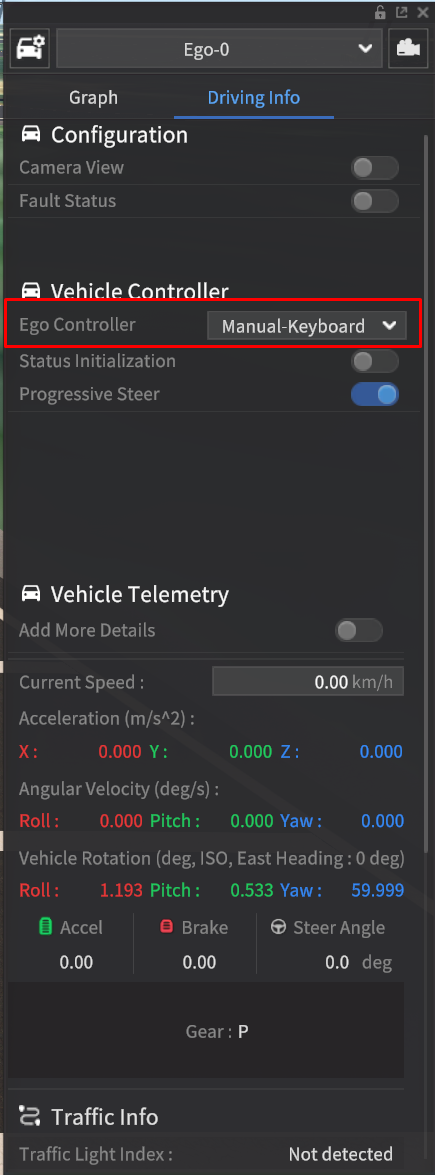
There are four main vehicle control modes: Manual-keyboard, Manual-GameWheel, AV-MORAI Built-in, and AV-ExternalCtrl.

The terminologies for Control Modes has been changed as follows.
Keyboard → Manual Keyboard
Game Wheel → Manual GameWheel
Cruise mode → AV-MORAI Built-In
Auto mode → AV-ExternalCtrl
Manual-keyboard: A manual control mode using keyboard.
NOTE Get keyboard shortcut information | Control Modes | Control-via-KeyboardManual-GameWheel: A manual control mode using Game Wheel device (Logitech Racing Wheel (G29)).
NOTE Control with the Game Wheel DeviceAV-MORAI Built-in: Driving Parameter and Desired Speed functions are only active when this mode is selected.
AV-ExternalCtrl: Automatic control mode using the user's autonomous driving SW.
Switch Control Modes
There are two ways of switching control modes.
Go to Driving Info > Ego Controller and select the desired mode.
Press
Qkey to switch the mode.
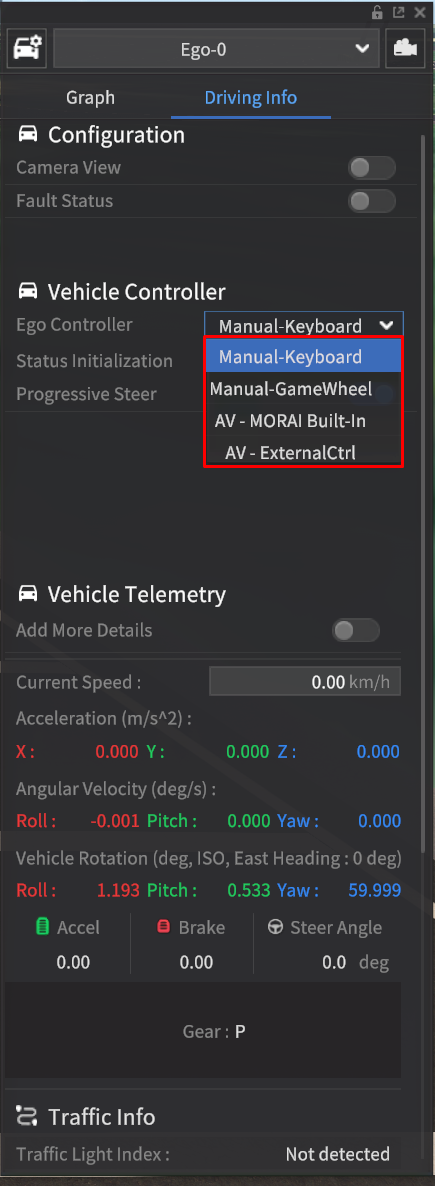
When changing control mode using the
Qkey, the transition order is: “Manual-keyboard → Manual-GameWheel → AV-MORAI Built-in → AV-ExternalCtrl.”
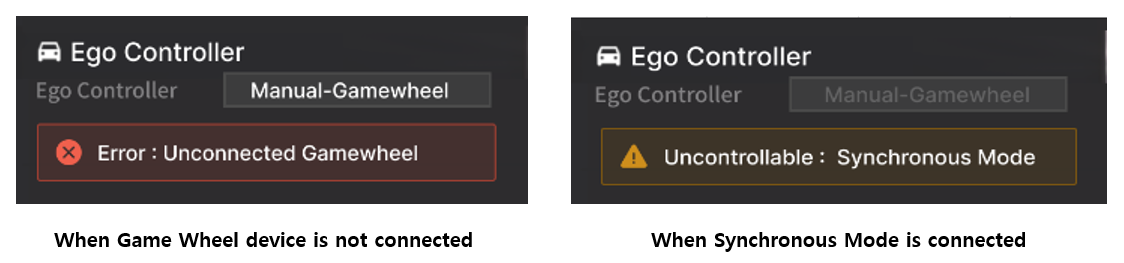
If the control mode you have set is not connected, or if a specific mode is connected, the following message appears.
Control via Keyboard
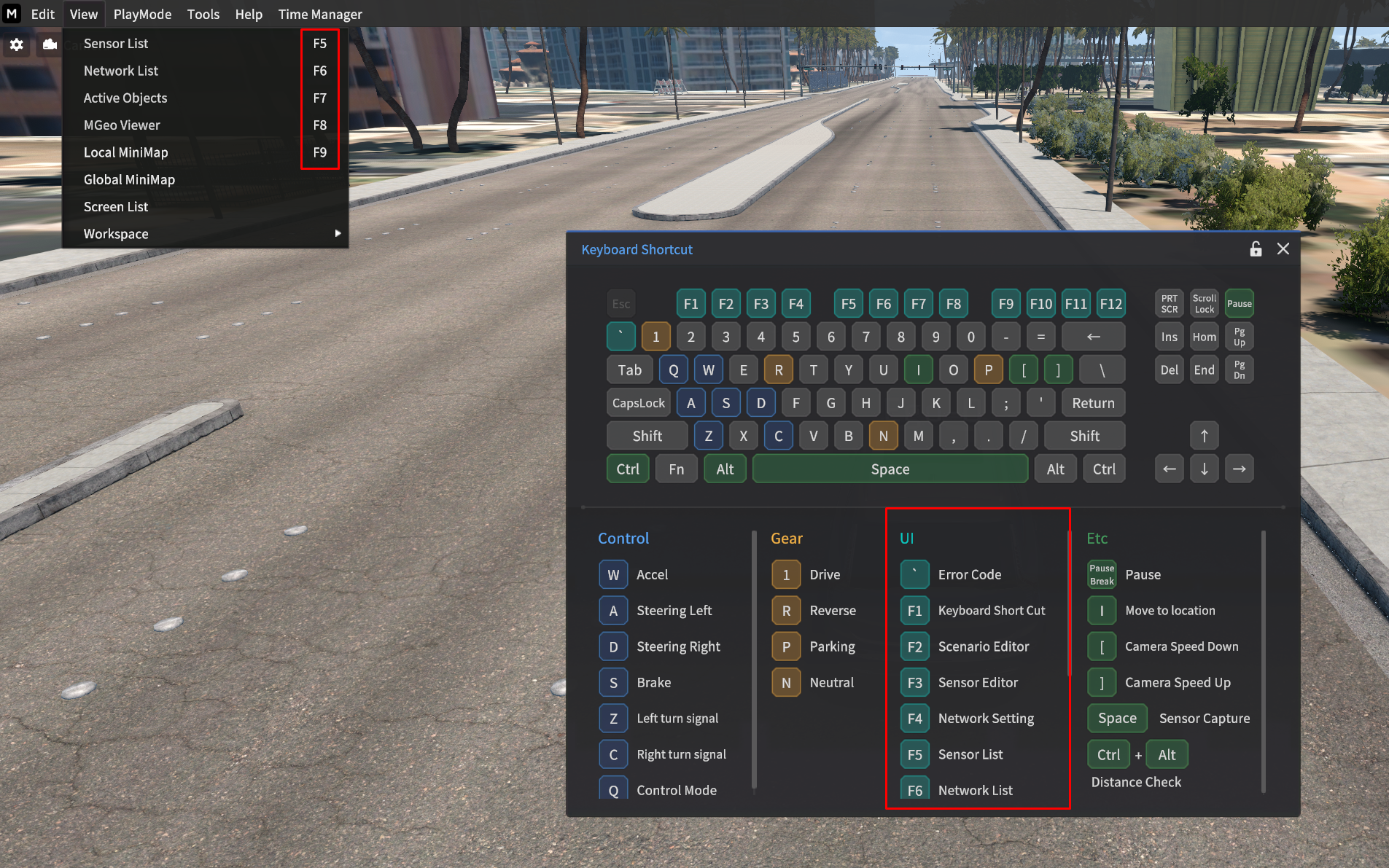
If you control your vehicle from the keyboard, here's the key information you'll most likely use.
w : Move Forward
A : Move Left
D : Move Right
s : Stop

Press F1 key to view the keyboard shortcut information below.
Switch Gear
When using manual control (keyboard or game wheel mode), you can change gears with the following keyboard operations.
Also, you can confirm the gear status via Driving Info > Gear.
P: ParkingR: ReverseN: Neutral1: Drive
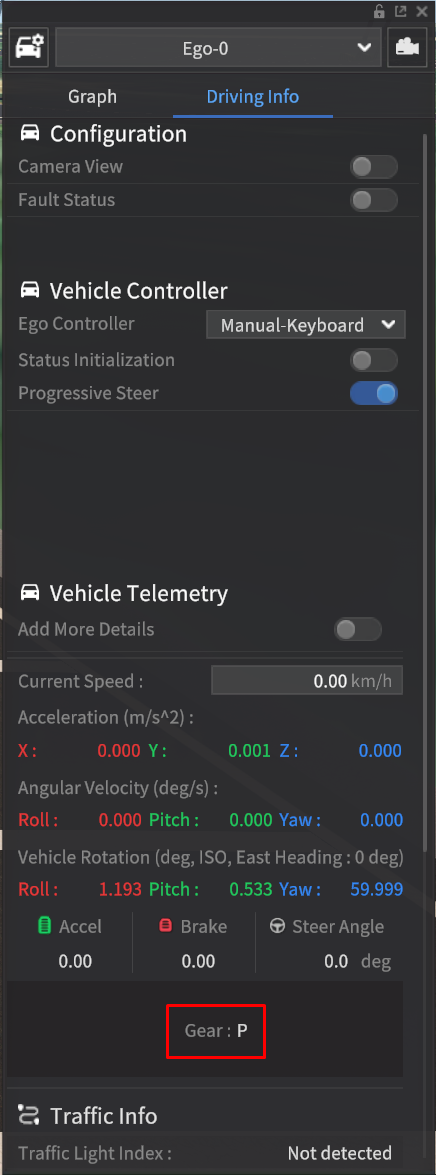
Added handbrake function to operate at the same time when in Parking mode.
This is to prevent the vehicle from rolling backward on a slope with a certain incline, even when in the P gear.