
Spawn Pedestrian
This page describes how to spawn pedestrians by type and set the position and waypoint parameters for each pedestrian in Scenario Editing.
Single Pedestrian
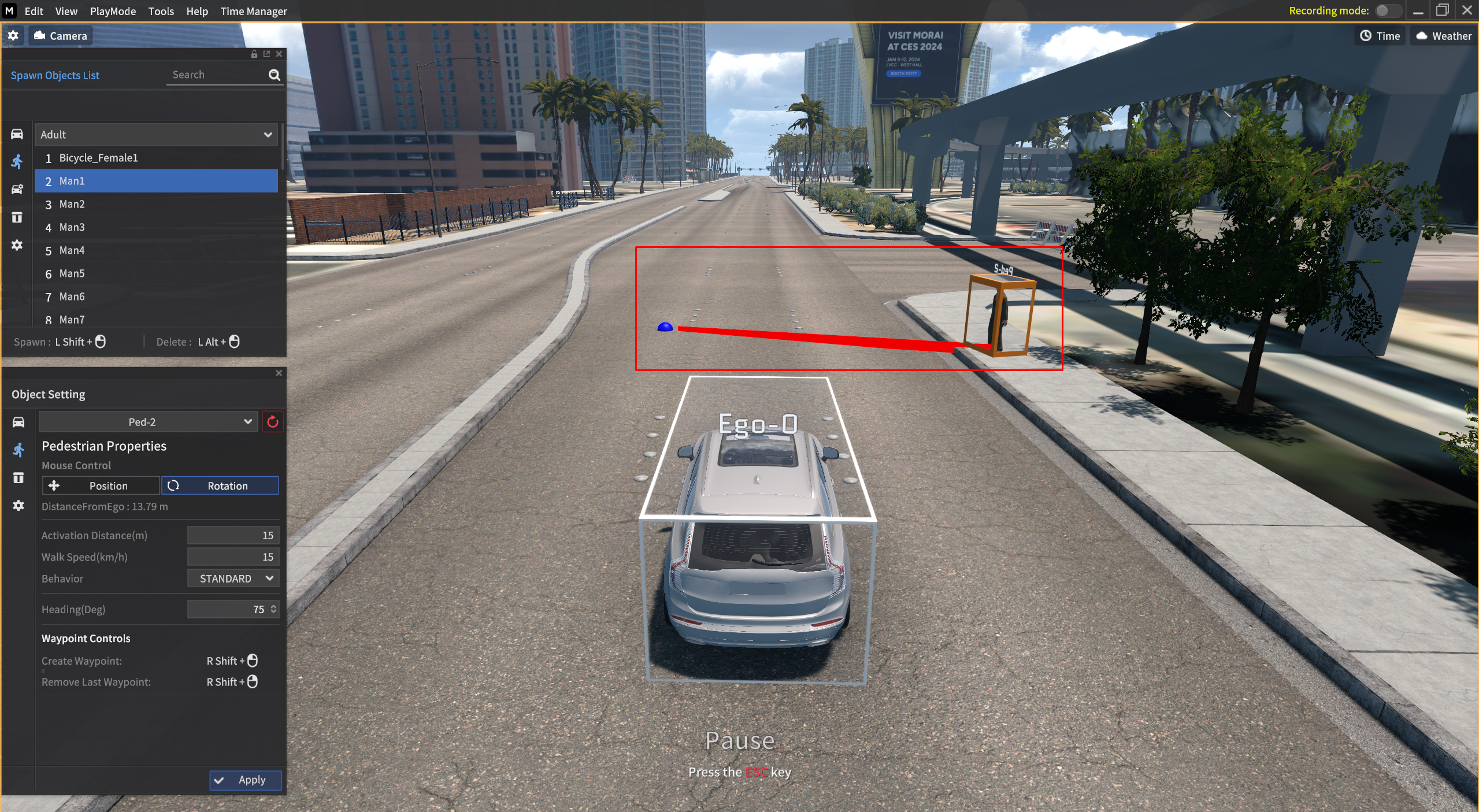
Spawn Pedestrian
Go to Spawn Objects List >
 icon.
icon.Select the desired Pedestrian type.
Press
Shift+Mouse left-clickto spawn pedestrian, and pressAlt+Mouse left-clickto delete it.Pedestrian position and rotation can be modified by mouse drag and drop.
Pedestrian Parameter
Distance from Ego (m): The distance between the Ego-vehicle and pedestrian.
Activation Distance (AD) : The distance between the vehicle and the Standard Point. This feature is activated with the pedestrian algorithm once it is within AD range.
Walk Speed : Walk speed of the pedestrian.
Behavior : Select the pedestrian motion.
Standard : A default mode.
Texting : Texting mode of the pedestrian.
Calling : Calling mode of the pedestrian.
Heading : Change the pedestrian’s heading.
Video Tutorial
Pedestrian Spawn
Motion Pedestrian (Police 1 only)
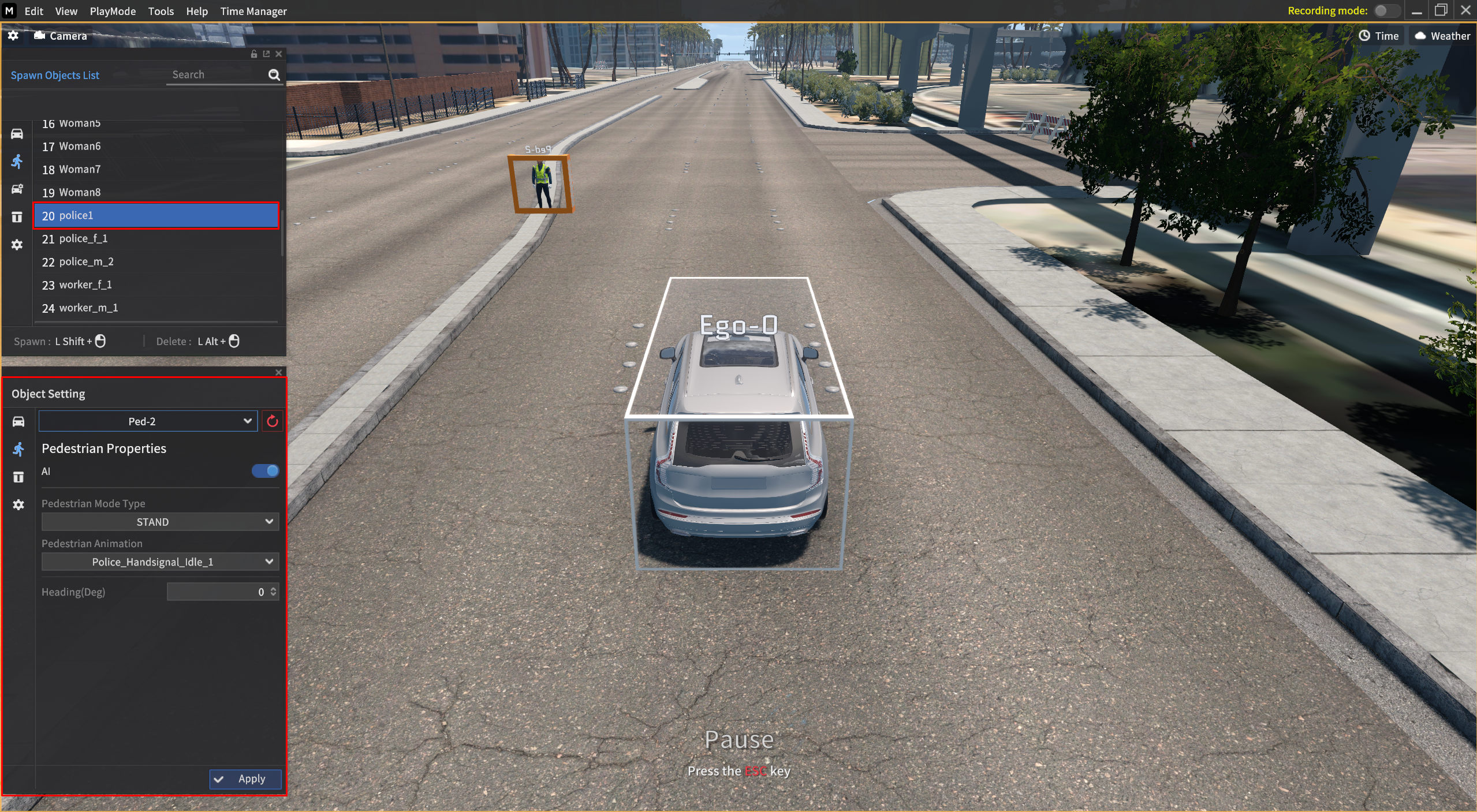
Spawn Police 1 pedestrian
Go to Spawn Objects List >
icon.Select the Police 1 type.
Shift+Mouse left-clickto spawn the Police 1 and pressAlt+Mouse left-clickto delete it.
Motion Pedestrian Parameter
Pedestrian Mode Type : Select the pedestrian Mode Type.
ONCE - Change the mode type from destination to IDLE when you set a destination.
CLOSE LOOP - Pedestrian is deleted when it reaches to the destination.
REPEAT - Pedestrian moves to the start point and repeats the mode when it reaches to the destination.
LOOP - The mode in which pedestrian travels to and from his/her start point and destination.
NEW PATH - If you have multiple destinations, find and navigate to another destination when the pedestrian reaches to the first destination.
STAND - The pedestrian stands still in this mode.
Pedestrian Animation : Select the Pedestrian Animation.
Police_Handsignal_Idle_1
Police_Handsignal_FStop
Police_Handsignal_FandL_Stop (Recipient based)
Police_Handsignal_FandL (Recipient based)
Police_Handsignal_LRStop
Police_Handsignal_RtoL
Police_Handsignal_FtoB
Hand Signal Video
https://www.youtube.com/watch?v=OIUY3jjC2IE
Pedestrian Waypoint
In the former pedestrian system, the pedestrian moved the specified Heading direction and Walk Speed for the Moving Distance when the Ego-vehicle was within the Active Distance.
However, with the recent addition of the new Waypoint system, the pedestrian moves along the Pedestrian Waypoint.
Once a Waypoint is created and placed, the pedestrian travels at the Walk Speed value until they reach the Waypoint.
Spawn and Delete the Waypoint
1) After spawning a pedestrian in Scenario Edit, select the pedestrian to activate the Object Setting > Pedestrian Properties.
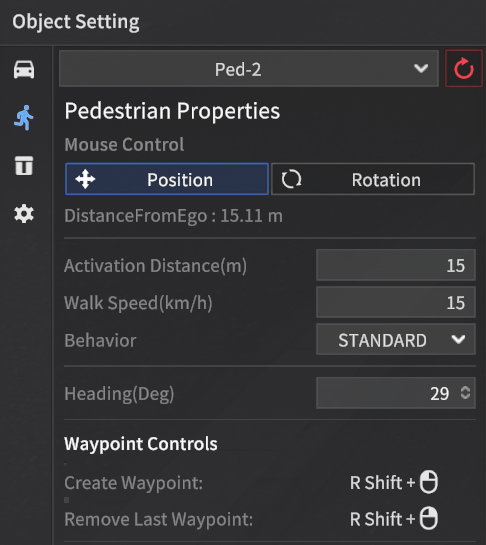
2) Pressing the right-Shift + Mouse left-click spawns and place the waypoint at the desired path.
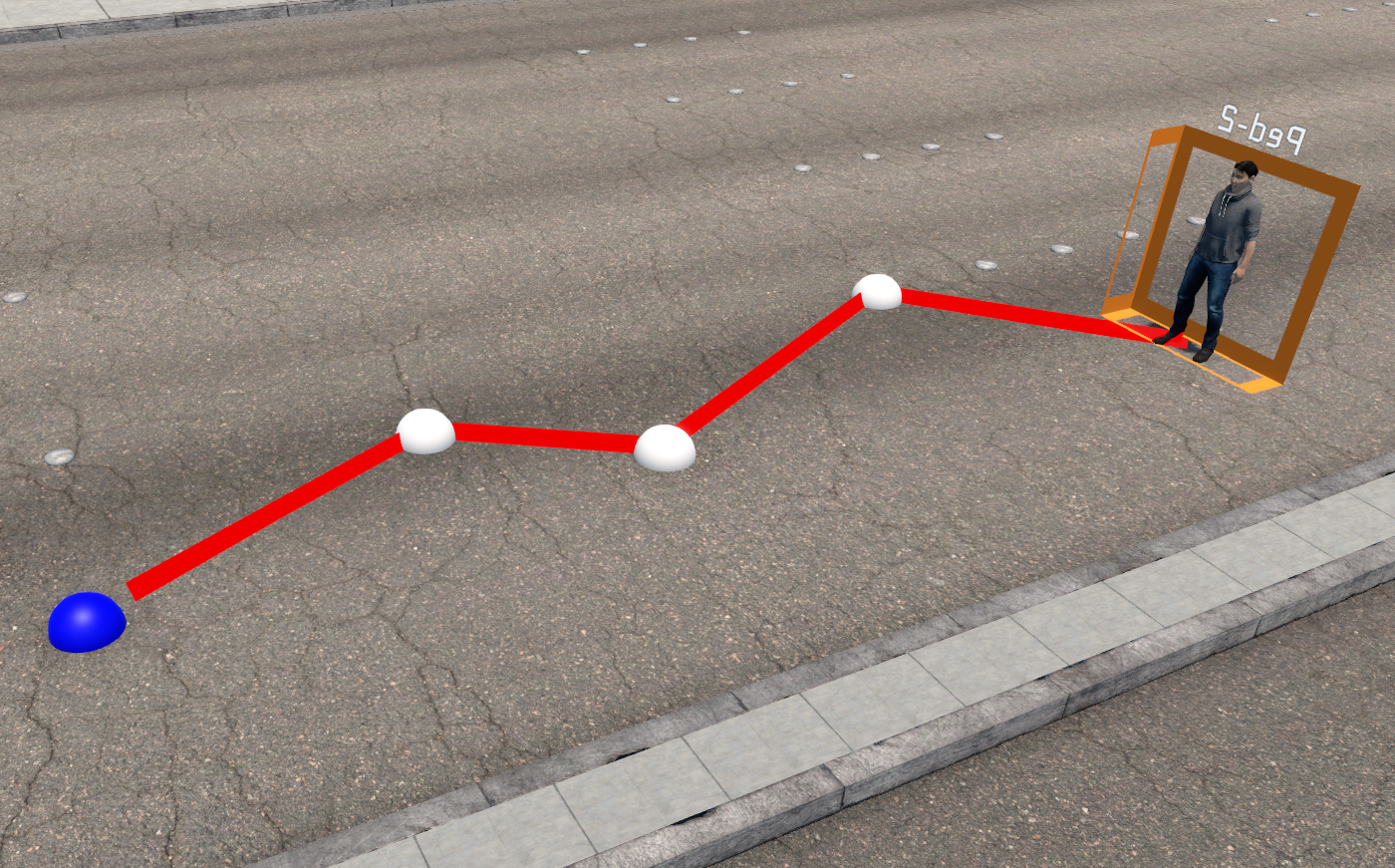

When spawning the pedestrian waypoint,
you should create at least one waypoint to operate it properly.
3) To delete an active waypoint, press right-Shift + Mouse right-click.