
Spawn Objects
This section describes about how to spawn objects in the MORAI SIM: Drive.
Spawn Objects
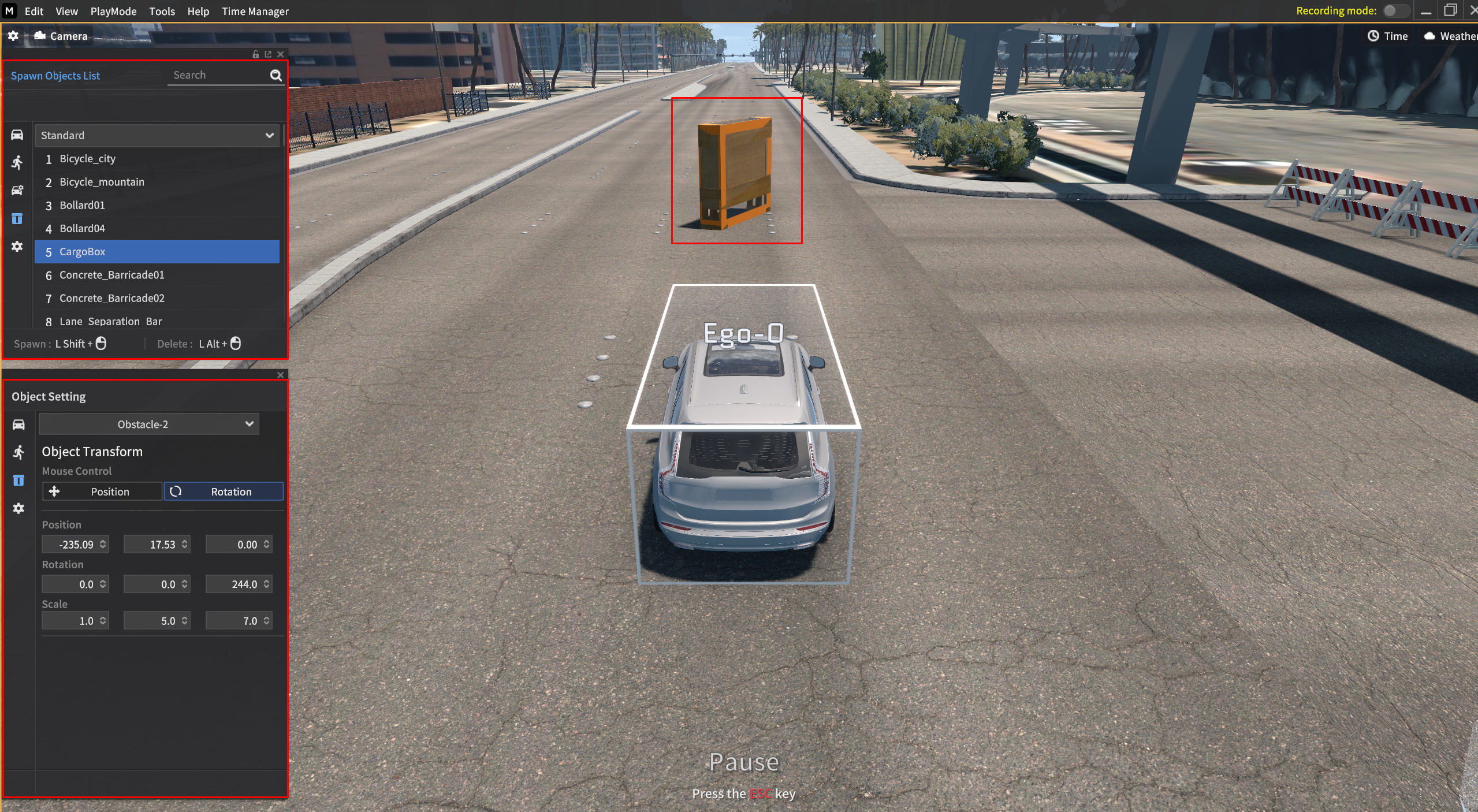
Click the Object icon in the Spawn Objects List.
Select the object you want to spawn.
Press
Shift+Mouse left-clickto spawn objects.Press
Alt+Mouse left-clickto delete the active objects.You can adjust the position, rotation, and scale of the object.
Position : X, Y, and Z value, respectively. Change the position of the object.
Rotation : X, Y, and Z value, respectively. Change the rotation of the object.
Scale : X, Y, and Z value, respectively. Change the scale of the object.
Video Tutorial