Geographic Coordinate System
This section describes the coordinate system used as a reference for indicating the vehicle position of the simulator and the sensor position spawned on the vehicle.
Vehicle Coordinate System
The vehicle's position (x, y, z) in the simulator uses the ENU coordinate system, based on the map's origin.
The Ego vehicle's initial State (shortcut: i key) coordinates are shown below.
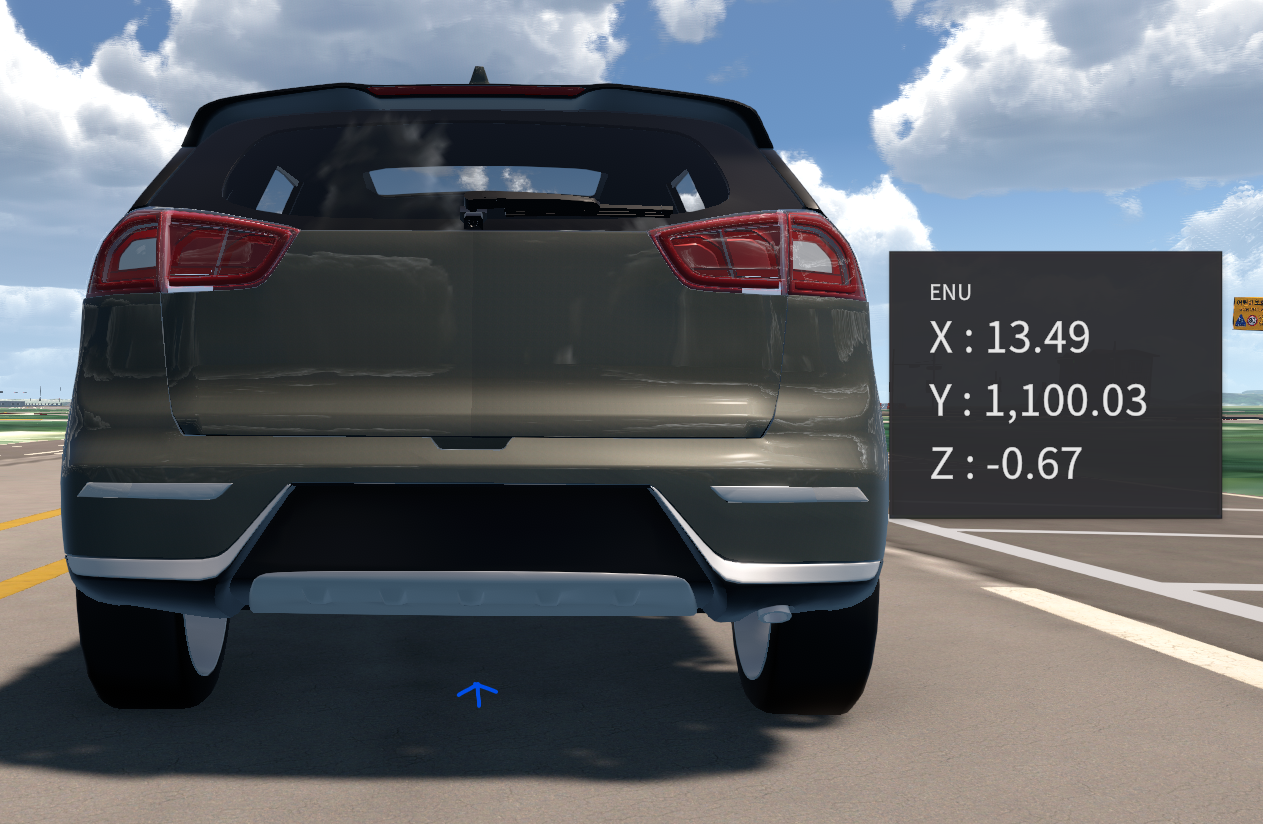

Clicking the mouse wheel displays the map coordinates where the cursor is located. For more information, go to TIPS - Coordinate Display.
Sensor Coordinate System
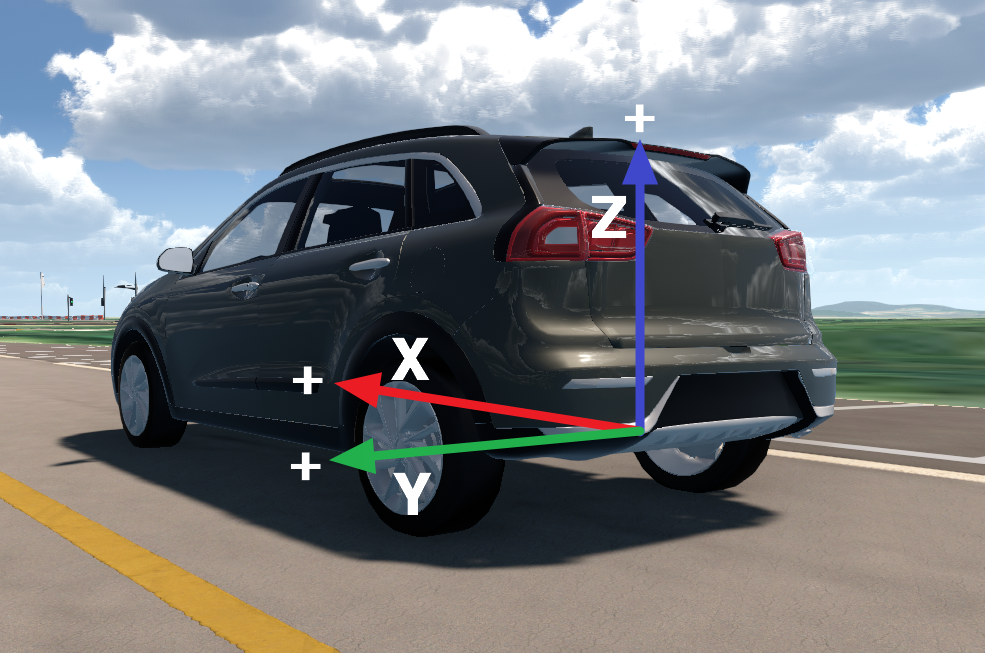
The sensor’s position (x, y, z) spawned on the vehicle uses the ENU coordinate system, based on the below factors.
Origin : The central axis between the rear wheels of the vehicle.
X-AXIS: The axis which is parallel to the surface and perpendicular to the y-axis.
Y-AXIS: The axis which is in the rear wheel side.
Z-AXIS: The axis which is perpendicular to the ground.