
Drive Modes
This section explains how to configure and use the vehicle's driving modes and driving options.
AV-MORAI Built-In
AV-MORAI Built-In is a driving option that allows the Ego Vehicle to operate like an autonomous driving mode.

The term Cruise mode has been changed as below.
Cruise mode → AV-MORAI Built-In
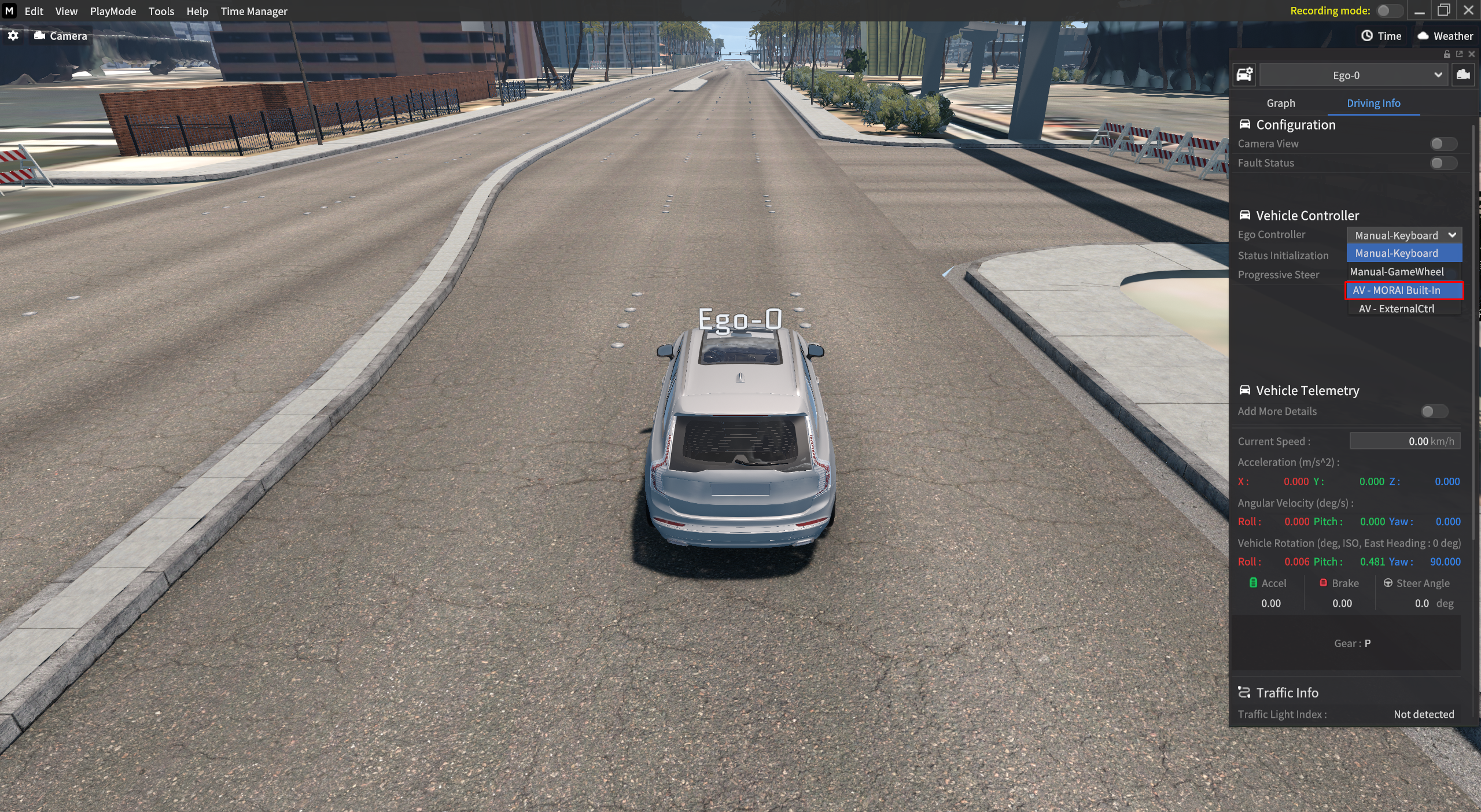
Click on the Ego Vehicle and enable the AV-MORAI Built-In option in Vehicle Info > Driving Info > Ego Controller.
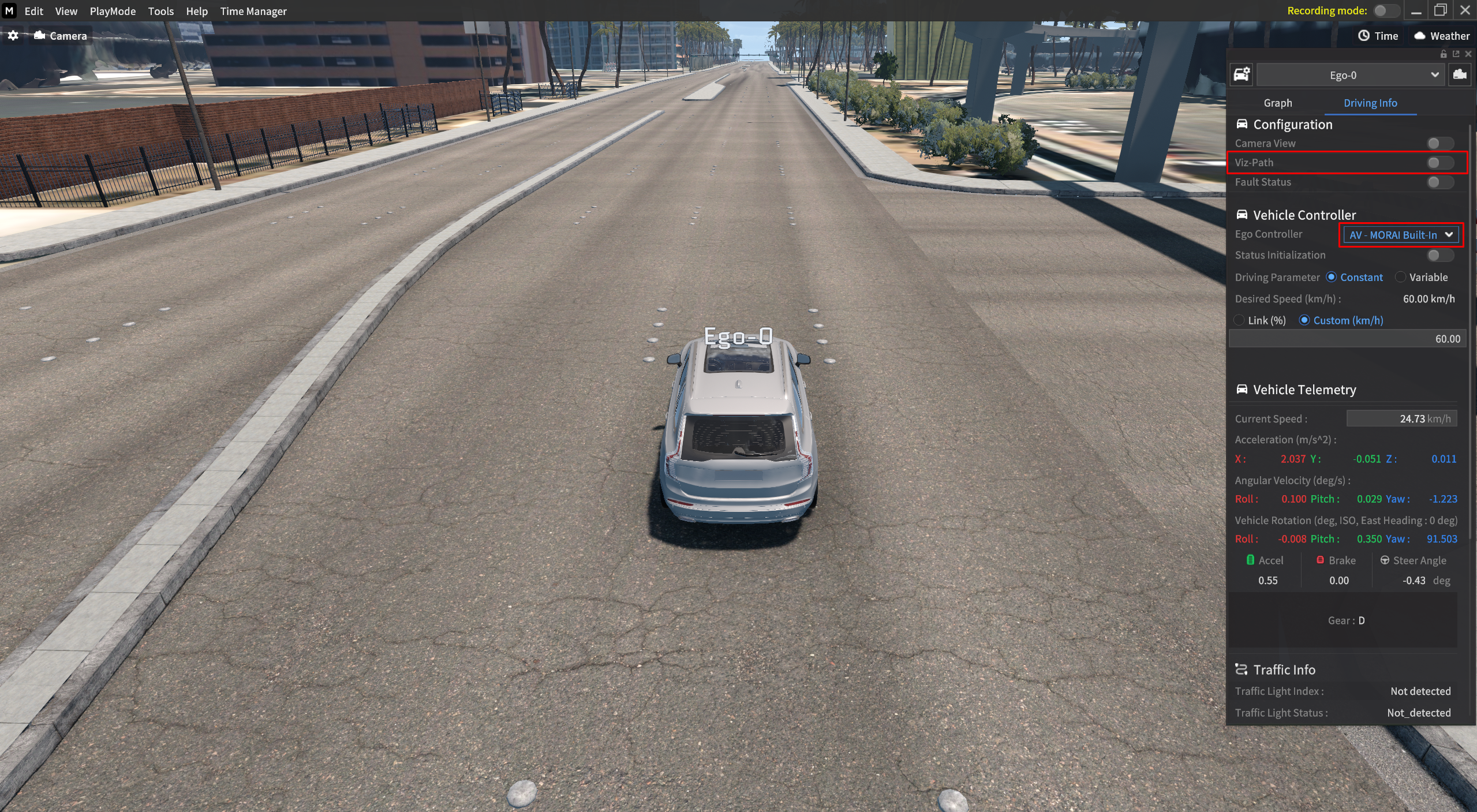
You can see that the Viz-Path appears as soon as AV-MORAI Built-In is activated, as shown below.
Progressive Steer
Progressive Steer is a driving option that allows control over the steering speed and the rate at which the wheels return to their original position for the Ego vehicle.
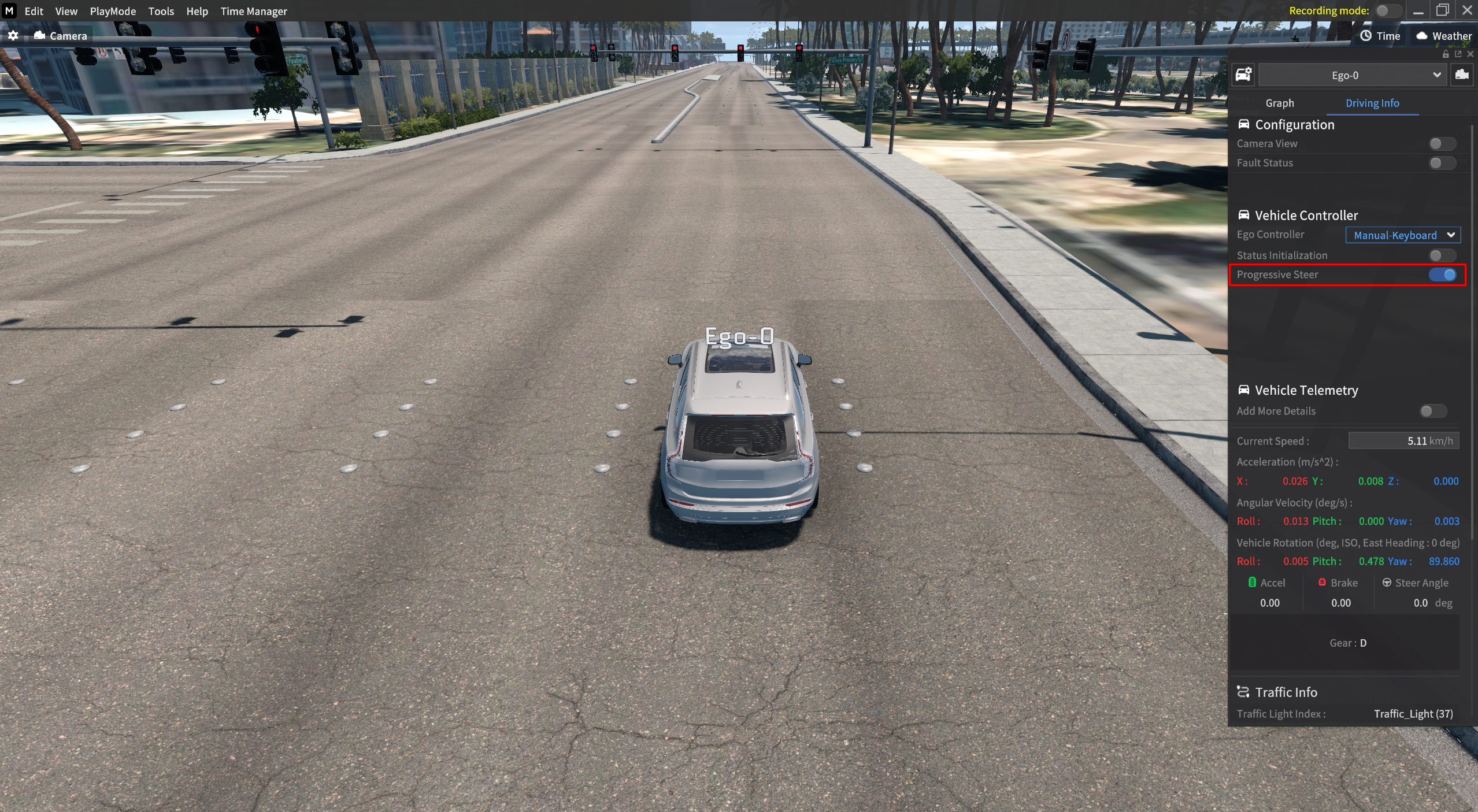
Click the Ego Vehicle, enable the Progressive Steer option in Vehicle Info > Driving Info.
Progressive Steer mode consists of the following two components: ADD-ON SERVICE
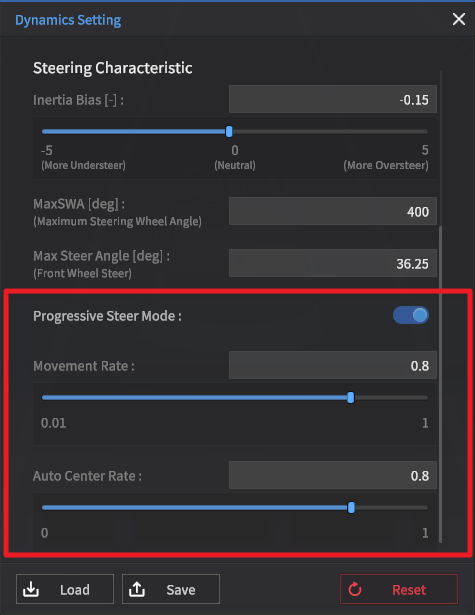
Movement Rate : A variable that limits the steering speed when there is steering input.
Auto Center Rate : A variable that limits the speed at which the wheels return to the neutral position when there is no steering input.
When Progressive Steer is enabled, the Movement Rate and Auto Centre Rate are each set to a fixed value in advance.
In this case, the steering wheel becomes heavier to rotate and return to its original position compared to the deactivated case where no input is received for the Movement Rate and Auto Centre rate.
Detailed settings for the Movement Rate and Auto Center Rate variables in Progressive Steer Mode are available when using the MORAI Advanced Vehicle Dynamics Add-on.

For more information about MORAI Advanced Vehicle Dynamics Add-on User guide, please contact our MORAI Help Desk.
Status Initialization
Status Initialization is a driving option that maintains the previous state of the Ego-Vehicle when changing vehicle control modes.
The term Drive State Init has been changed as below.
Drive State Init → Status Initialization
Click the Ego-Vehicle and enable the Status Initialization option in the Vehicle Info > Driving Info.
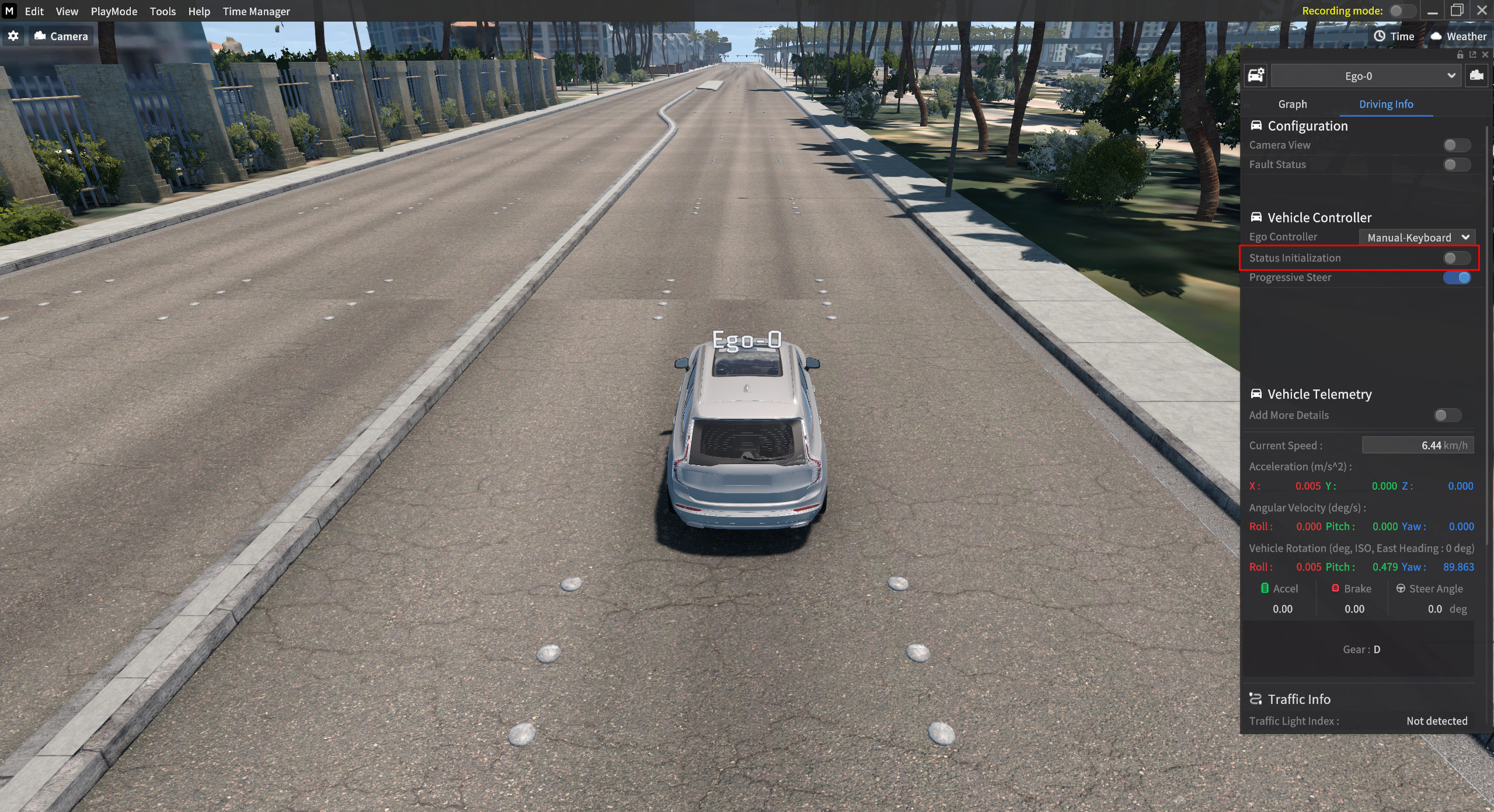
Status Initialization option consists of the following two components:
Toggle On (Enabled) : Initialize the Ego-Vehicle state.
Toggle Off (Disenabled) : Maintains the previous state of the Ego-Vehicle.