Create Sensor Noise
This section introduces how to generate and use Sensor Noise (GPS, Lidar, IMU).
GPS Noise
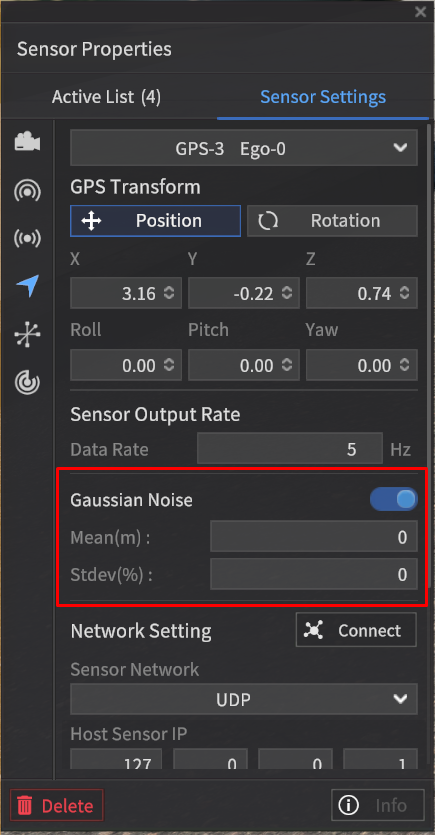
Gaussian Noise can be applied to GPS sensor.
By switching ON the toggle of the Gaussian Noise option, you can generate noise.
The noise level can be adjusted by entering values for Mean (m) and Standard Deviation (%).
LiDAR Noise
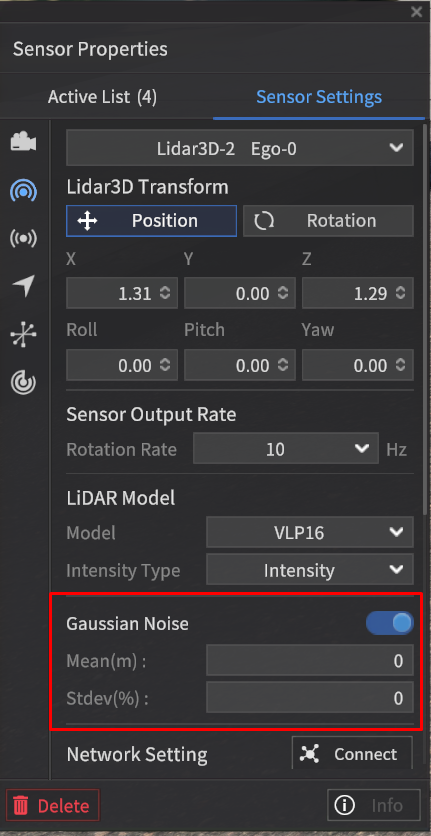
Gaussian Noise can be applied to LiDAR sensor.
By switching ON the toggle of the Gaussian Noise option, you can generate noise.
The noise level can be adjusted by entering values for Mean (m) and Standard Deviation (%).

LiDAR Gaussian Noise optimization applied.
Performance improvement for LiDAR Sensor Gaussian Noise.
If Gaussian Noise activated (LiDAR CH128)
Before : ~5-10 fps
Changed : ~60+ fps
IMU Noise Filter
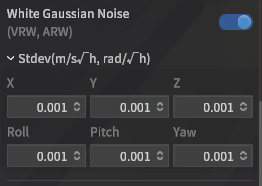
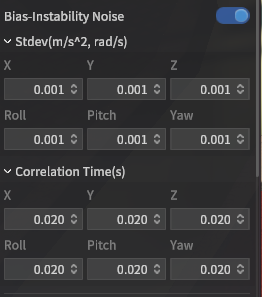
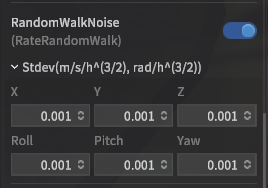
Bias-instability, Random Walk(Rate Random Walk), and White Noise(Velocity(Angle) Random Walk) can be applied to IMU sensor.
You can ON/OFF the each Noise toggle located next to the each Noise Model.
The parameters and units for each Noise are as follows.
Bias-instability Noise
Bias-instability Standard deviation(sigma)
Acceleration : m/s2
Gyroscope - rad/s
Correlation Time (s)
Random Walk Noise (Rate Random Walk)
Random Walk Standard deviation(sigma)
Acceleration - m/s/h3/2
Gyroscope - rad/h3/2
White Noise (Velocity(Angle) Random Walk)
White Noise standard deviation(sigma)
Acceleration - m/s/√h
Gyroscope - rad/√h